Remote Shot - Live Preview1.0.0
Publisher Description
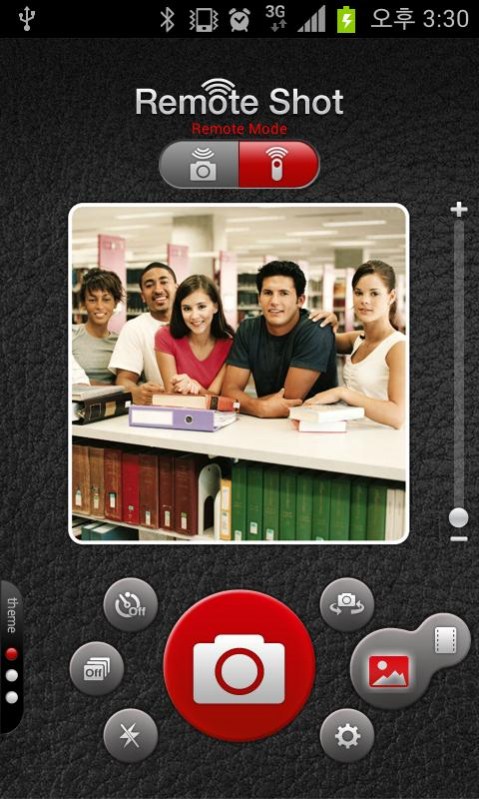
Remote Shot is a remote controller using a Bluetooth.
Remote Shot allow you to connect your Android Phone using one as camera and one as remote to see live stream preview.
Remote Shot works with all Android devices
* Bluetooth is run together on the same operating system.
* If Bluetooth is not turned on, the device does not connect.
[FEATURES]
- Connect 2 devices use one as camera and one as REMOTE.
- Bluetooth connection, no need internet connection you can take a shot while you are outdoor.
- LIVE PREVIEW STREAM, remote sees what camera see(available in FREE version).
- Front/Rear Camera.
- Flash Auto/on/off.
- Burst Shots. (3f / 7f / 10f / 15f)
- Self Timer. (3s / 7s / 10s / 15s)
- Setting a background-image in remote mode.
[How to use]
- Connect 2 devices by tap at Blue tooth sign.
- Choose your device to be Remote or Camera.
- Switch Your device for remote or camera in the blue tooth connection page.
- In Live preview you are control the camera.
- Put your camera device in right location.
- Look at live preview in your remote to adjust your location.
- Take photo.
- Picture will save in to camera devices.
Tag : Remote,camera,bluetooth,Timer,Burst Shot,LivePreview,photo,Remoteshot
About Remote Shot - Live Preview
The company that develops Remote Shot - Live Preview is (주)다우기술. The latest version released by its developer is 1.0.0.
To install Remote Shot - Live Preview on your Android device, just click the green Continue To App button above to start the installation process. The app is listed on our website since 2012-10-11 and was downloaded 20 times. We have already checked if the download link is safe, however for your own protection we recommend that you scan the downloaded app with your antivirus. Your antivirus may detect the Remote Shot - Live Preview as malware as malware if the download link to com.daou.remoteshot is broken.
How to install Remote Shot - Live Preview on your Android device:
- Click on the Continue To App button on our website. This will redirect you to Google Play.
- Once the Remote Shot - Live Preview is shown in the Google Play listing of your Android device, you can start its download and installation. Tap on the Install button located below the search bar and to the right of the app icon.
- A pop-up window with the permissions required by Remote Shot - Live Preview will be shown. Click on Accept to continue the process.
- Remote Shot - Live Preview will be downloaded onto your device, displaying a progress. Once the download completes, the installation will start and you'll get a notification after the installation is finished.
